niagabetAndroid & iOS App
We at niagabet offer mobile access to our platform through Android APK installation, iOS browser access, and a responsive web app designed for on-the-go gaming and sports coverage. Our mobile-first approach ensures that members can engage with slot games such as Aviator, Sweet Bonanza, Gates of Olympus, Fortune Tiger, and Mahjong Ways, as well as live dealer tables and Liga 1 sportsbook markets, from any supported device without compromise on speed or security.

- Installin
- SHA256 Match
- and
Mobile access to niagabet is built around convenience and reliability. Whether you are in Jakarta, Surabaya, Bandung, Medan, or Semarang, our app paths let you deposit via DANA, e-wallet, mobile banking, or local payment, manage your account, and track withdrawals from your phone. We prioritize load times, offline functionality where applicable, and consistent session management across all device types.
Our platform is available only where local law permits. Members are responsible for confirming that their jurisdiction allows access to niagabet services. If you have questions about regional eligibility, our support team can clarify your status during business hours through the contact channels on our site.
How to access niagabet on mobile
We provide three main pathways to access niagabet on mobile devices. Android users can download and install our APK directly; iOS users can access niagabet through their mobile browser without requiring an app store download; and all users benefit from our responsive web app, which works across both platforms and requires no installation.
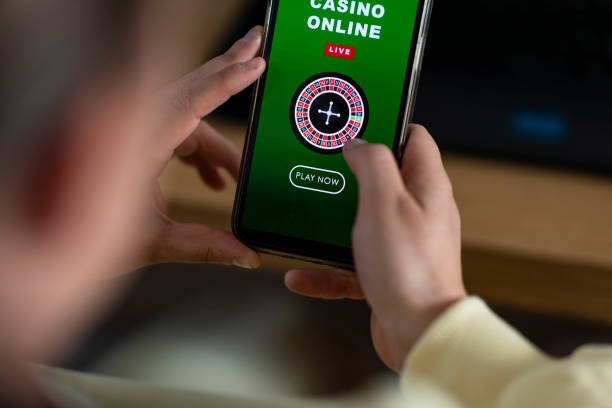
Installation and setup on niagabet
Step-by-step installation
- Download: For Android, visit our site and select the APK download link; for iOS, open Safari and navigate to niagabet.im to access the web app directly.
- Install: Android users may need to enable "Unknown Sources" in device settings; follow the on-screen prompts to complete installation. iOS users can add niagabet to their home screen via Safari's share menu.
- Register or log in: Open the app or web interface and either create a new account or sign in with your existing niagabet credentials.
- Start playing: Complete any required account verification, add a payment method, and begin exploring our slot games, live tables, or sportsbook markets.
App versus browser: strengths of each
Our Android APK offers offline caching for faster load times, push notifications for tournament schedules and withdrawal updates, and a streamlined interface optimized for touch navigation. The app stores your session locally, reducing data usage on weak connections. Browser access on iOS and web platforms provides immediate updates without installation delays, works across all devices without storage concerns, and integrates seamlessly with your device's password manager and autofill features. Both paths connect to the same niagabet account and withdrawal system, so your choice depends on your device type and preference for installation versus instant access.

Device compatibility
We support Android 7.0 and above for APK installation. iOS users require iOS 12 or later to access niagabet through Safari or add our web app to their home screen. Our responsive design adapts to screen sizes from 320px (small phones) to 1920px (tablets and desktops). If you encounter compatibility issues, our support team can help troubleshoot during business hours.
Common installation issues and solutions
Android users may see a security warning about "Unknown Sources" when installing the APK; this is normal and can be resolved by enabling installation from unknown sources in your device settings, then retrying the installation. If the APK fails to install, ensure you have at least 50MB of free storage and that your device meets the Android 7.0 minimum. iOS users who cannot add niagabet to their home screen should clear their Safari cache, restart the browser, and try again. If you receive a certificate trust error on any platform, this typically resolves after a few seconds; if it persists, contact our support team for assistance.
Data, permissions, and account security
Our app requests only essential permissions: internet access for gaming and payment processing, and storage access for offline caching on Android. We do not request access to your contacts, camera, or location data. All communication between your device and niagabet servers is encrypted using industry-standard TLS protocols. Your account credentials are never stored in plain text; we use secure session tokens that expire after a period of inactivity. If you suspect unauthorized access, sign out immediately through your account settings and contact our support team to review your activity and secure your account.
App advantages
- Offline caching for faster load times
- Push notifications for tournaments and withdrawals
- Optimized touch interface and gesture controls
Browser advantages
- No installation required; instant access
- Works on any device with a modern browser
- Always up-to-date without manual updates
Getting started with niagabet on mobile
Once you have installed or accessed niagabet, we recommend exploring our demo mode to familiarize yourself with slot game mechanics, live table rules, and the sportsbook interface before making your first deposit. Our platform displays clear information about game rules, payout structures, and betting limits for each market. When you are ready to deposit, we accept DANA, e-wallet, mobile banking, local payment, online payment, e-wallet, and direct bank transfers via mobile banking, local payment, online payment, and e-wallet. Our support team is available during business hours to answer questions about payment methods, account verification, or any technical issues you encounter.
niagabet services are available only where local law permits. Members from supported jurisdictions in the Indonesia region, including Jakarta, Surabaya, Bandung, Medan, and Semarang, can access our platform subject to compliance with their local regulations. If you have questions about your eligibility or regional access, contact our support team for clarification. We remain committed to providing a secure, transparent mobile experience for all members in supported areas.